This command generates a BookXRefs file from the xref definitions that exist in the selected file(s). Once you have generated a BookXRefs file, you can use the Edit BookXRefs File command to modify the xref definitions, and then use the Import XRef Definitions command to import those xref definitions into all files in the book.
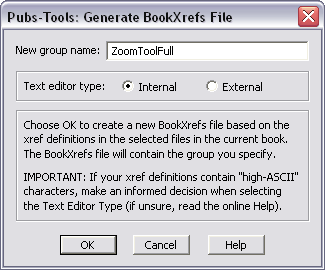
A BookXRefs file can contain multiple xref groups. If you define multiple groups in a single BookXRefs file you can switch between those groups to easily update xref definitions for different products or languages. You can add additional groups to the BookXRefs file with the Update BookXRefs File command.
FM5,6,7: You need to purposefully
select a Text Editor Type when you initially generate the BookXRefs file. Once you have
specified the editor type, you should not change it. Generally the
internal editor is fine, unless you have a very large number of xref or plan to have
many xref groups.
The internal editor is limited to 30K of data (this is about 1000 xref definitions). For more
information on choosing this option, see Selecting the Text Editor Type.